
Can You Hear Your Baby's Heartbeat With a Phone?
By App Bards · · Pregnancy & Audio Recording
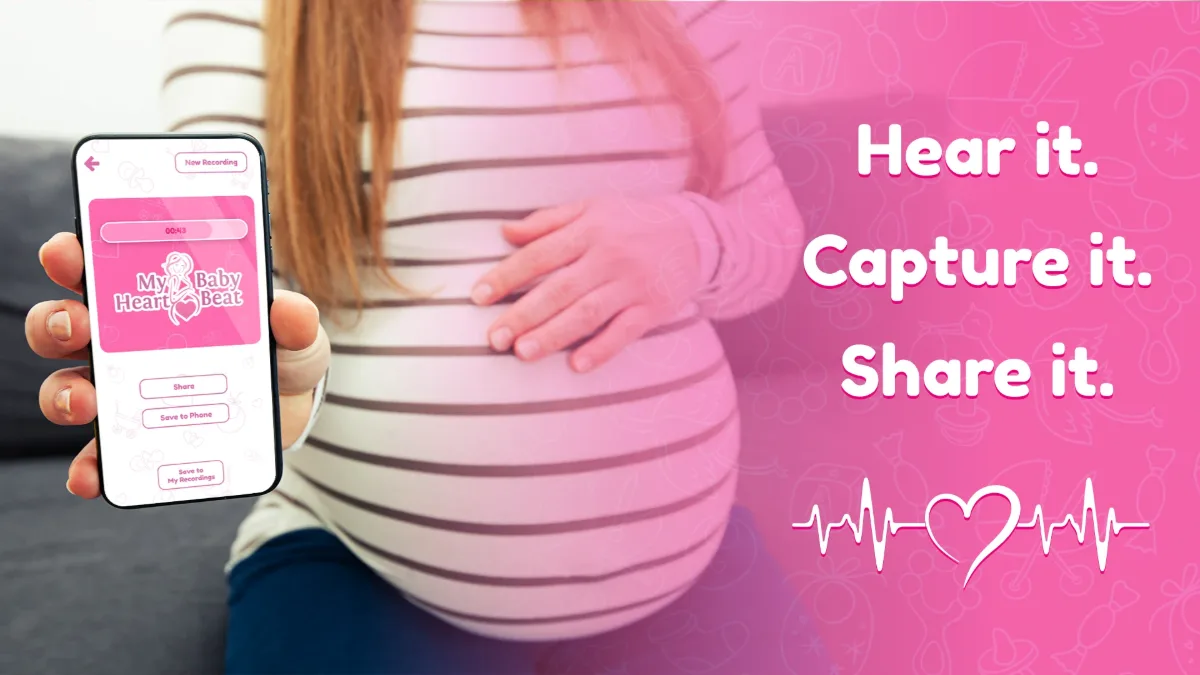
Pregnancy is full of moments you want to remember. From the first ultrasound to the first little kicks, it's natural to want to capture as much of the experience as possible.
And since we use our phones for almost everything, you might have wondered: Can I hear my baby's heartbeat using just my smartphone?
You've probably seen apps that promise to help you listen to pregnancy sounds using your phone's microphone. But what can these apps actually do, and how do you know what you're hearing?
Here's what you should know before trying one.
Can a Smartphone Really Hear a Baby's Heartbeat?
A regular smartphone microphone cannot reliably detect or identify a baby's heartbeat during pregnancy.
Your phone is designed to record everyday sounds, such as conversations, music, and videos. Its microphone may also capture quiet body sounds when placed close to your skin.
However, hearing a rhythmic sound doesn't necessarily mean you're hearing your baby.
Your own heartbeat, blood flow, digestion, movement, and even background noise can create sounds that resemble a heartbeat.
This distinction matters because a phone recording cannot tell you whether your baby is healthy, and it should never be used for reassurance about your pregnancy.
That doesn't mean your phone can't be useful for recording personal memories. It simply means understanding the difference between recording audio and medically detecting a fetal heartbeat.
How Do Baby Heartbeat Apps Work?
Most smartphone sound recording apps use your phone's built-in microphone to capture audio.
The process is similar to recording a voice message, except some apps include additional audio processing tools.
These tools may help you:
- Record sounds using your phone's microphone.
- Amplify quieter parts of a recording.
- Adjust how recorded audio sounds.
- Listen to the result through your phone or headphones.
- Save and share recordings.
For example, Hear My Baby Heartbeat Monitor for Android allows you to record and enhance audio, then save it as a personal keepsake.
The app doesn't use ultrasound technology, calculate heart rate, or verify that a recorded sound comes from your baby.
Its purpose is to help you capture, listen to, and preserve personal sound recordings during pregnancy.
Why Can Different Sounds Resemble a Heartbeat?
One of the most confusing things about pregnancy sound recording is that a rhythmic thumping sound can come from several sources.
1. Your own heartbeat
Your pulse creates a regular rhythm, and sounds associated with blood flow may be picked up when a microphone is positioned against your body.
This can make a recording sound surprisingly similar to what someone expects a heartbeat to sound like.
2. Digestion and other body sounds
Your body naturally produces sounds as your digestive system works.
Some of these can be low-pitched, repetitive, or difficult to identify from an audio recording alone.
3. Phone movement
Even very small movements can produce noticeable recording noise.
Your fingers moving against the phone, clothing rubbing against the microphone, or a slight change in position can create tapping or thumping sounds.
4. Background noise
Air conditioning, fans, traffic, and household appliances can all appear in recordings.
Sometimes you won't notice these sounds until you listen through headphones or amplify the recording.
5. Audio enhancement
Audio processing can make quieter sounds more noticeable.
However, it may amplify unwanted noise as well.
A louder or clearer recording does not mean the sound has been identified as a fetal heartbeat.
This is why it's important to approach any recording as audio rather than a medical result.
What's the Difference Between a Phone App and a Fetal Doppler?
Although both may be associated with listening during pregnancy, they use very different technologies.
A fetal Doppler is a specialized device that uses ultrasound to detect movement associated with blood flow.
Healthcare professionals may use appropriate equipment as part of clinical assessment.
A regular smartphone microphone, on the other hand, records acoustic sound.
It cannot perform an ultrasound examination.
Even home fetal Doppler devices can be misunderstood when used without appropriate training. A person may mistake their own pulse or other sounds for a baby's heartbeat.
The NHS advises against using home Dopplers to check a baby's health. The FDA also warns about the risks of using fetal heartbeat monitoring equipment without appropriate medical supervision.
If you want to hear your baby's heartbeat or have concerns about your pregnancy, your healthcare professional can explain which assessments are appropriate.
How to Record Pregnancy Sounds With Your Android Phone
If you'd like to preserve personal audio memories during pregnancy, you can make recordings using your Android phone.
The process doesn't need to be complicated.
Step 1: Find a quiet environment
Choose a comfortable room with as little background noise as possible.
Turn off nearby music or television if practical.
The quieter the environment, the easier it is to listen to your recording afterward.
Step 2: Check your phone's microphone
Make sure your microphone isn't covered by your phone case, fingers, or clothing.
Microphone placement varies between Android devices, so check where yours is located.
Step 3: Start recording
Open your preferred recording app.
If you're recording near your abdomen, hold the phone comfortably without applying pressure.
Try to keep your phone still to reduce handling noise.
Step 4: Listen to your recording
After recording, play back the audio.
Headphones may make quieter recorded sounds easier to notice, although they cannot establish where those sounds came from.
Step 5: Try audio enhancement
Some recording apps offer controls for adjusting the captured sound.
Hear My Baby Heartbeat Monitor includes audio enhancement controls that allow you to change how a recording sounds.
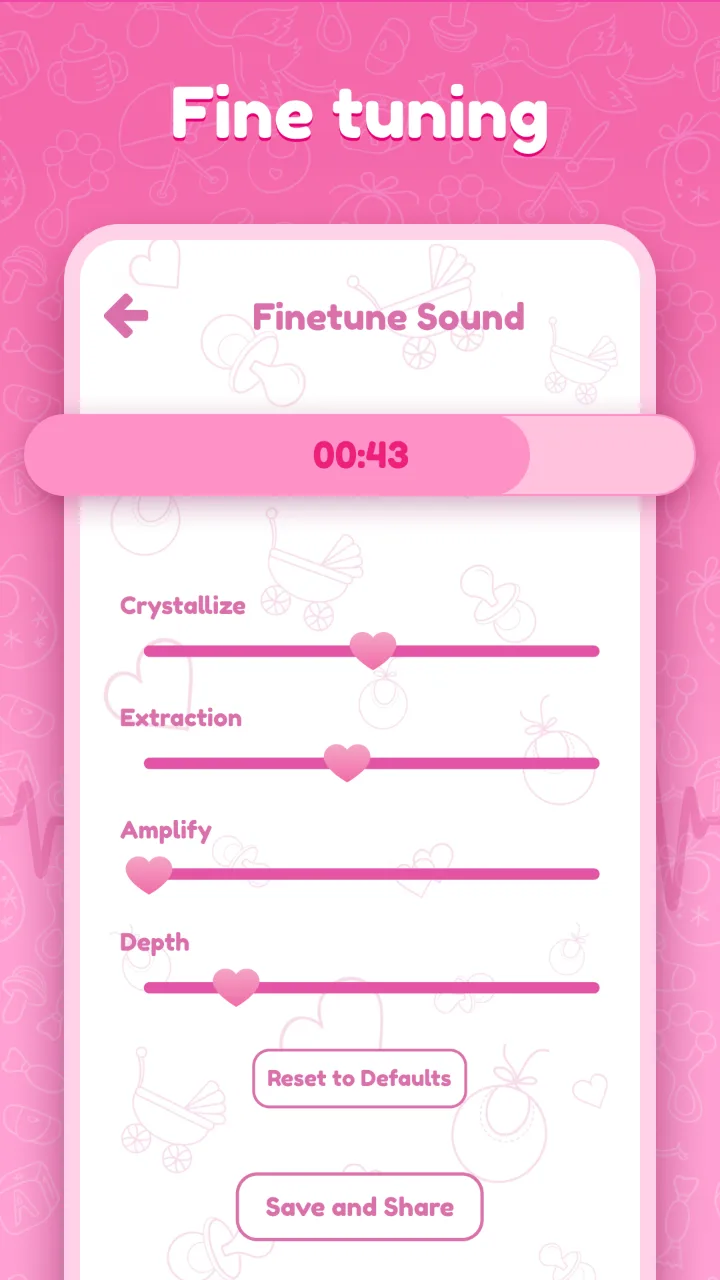
Remember that enhancing a recording may also make background noise more noticeable.
Step 6: Save your memory
If you've captured a recording you'd like to keep, save it with a recognizable name.
You might organize recordings by date or pregnancy milestone.
You can also share personal recordings with family and friends.
Important: These steps are intended for creating audio keepsakes, not locating a fetal heartbeat or checking fetal wellbeing.
Saving Pregnancy Sound Memories With Hear My Baby Heartbeat Monitor
We created Hear My Baby Heartbeat Monitor as a simple Android application for recording and saving personal pregnancy sound memories.
Instead of requiring an account or additional recording equipment, it uses your phone's built-in microphone.
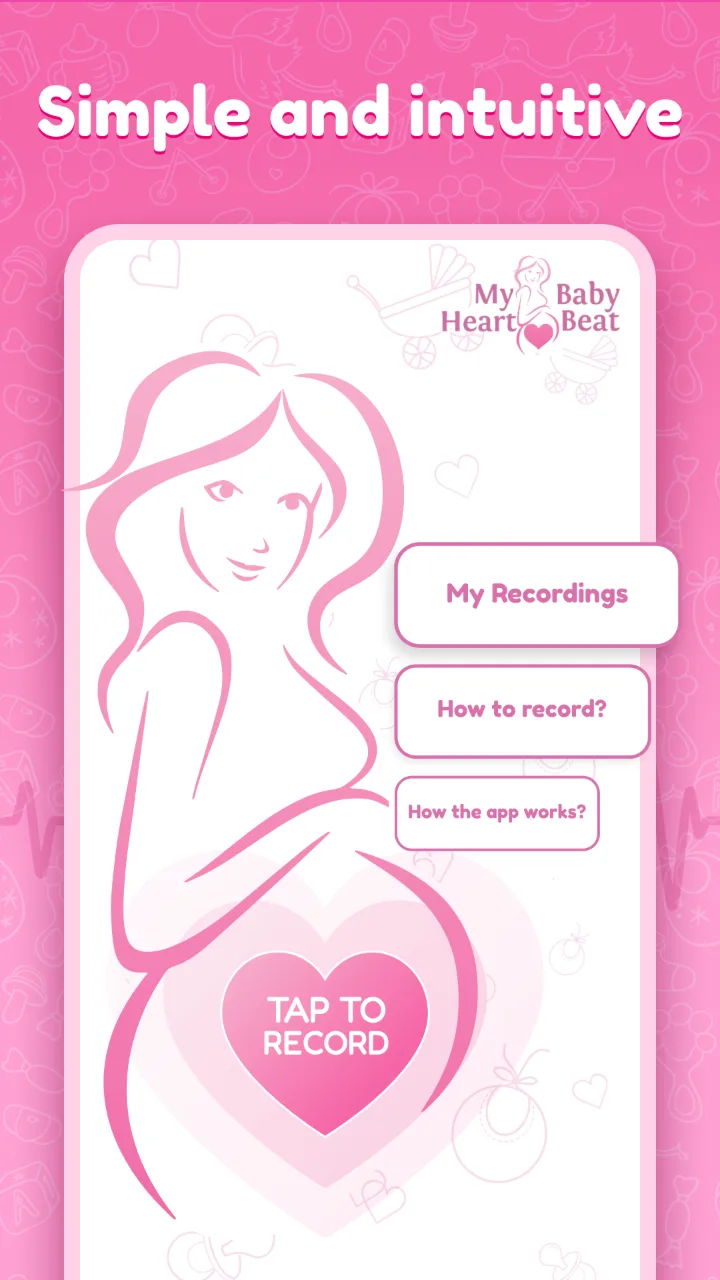
The app includes several practical features.
Record and enhance audio
Record sounds through your Android phone and use the available enhancement controls to adjust the recording.
This can help make quiet recorded audio easier to listen to, although it doesn't identify the source of a sound.
Save and organize recordings
Save recordings to your device and rename them so they're easier to find later.
For example, you might use a date or a short description to organize your collection.
Share your recordings
Share saved audio with your partner, family members, or anyone else you'd like to include in your pregnancy memories.
Record without an internet connection
Recording and listening work offline.
You don't need to create an account, and your recordings are stored locally on your device.
Free to use
Hear My Baby Heartbeat Monitor is available for Android and is completely free, supported by ads.
There are no subscriptions or paid features.
You can learn more about the app, see screenshots, and find its Google Play link on the official Hear My Baby Heartbeat Monitor page.
What if You Can't Hear Anything?
It's possible to make a recording and hear very little, or nothing recognizable at all.
That doesn't mean you've done something wrong, and it tells you nothing reliable about your baby's condition.
Likewise, hearing a rhythmic sound doesn't confirm that your baby's heartbeat has been captured.
Never use a smartphone recording to decide whether your pregnancy is progressing normally.
If you're worried about your baby's movements or notice a change in their usual pattern, contact your midwife or maternity care team immediately. Don't wait to make another recording or use an app to check.
A medical assessment is the appropriate way to address concerns about your baby's health.
Frequently Asked Questions
Can I hear my baby's heartbeat with my Android phone?
A regular Android smartphone cannot reliably detect or verify a fetal heartbeat. It may record rhythmic body sounds, but those sounds cannot be confidently identified as your baby's heartbeat.
Do I need a special microphone?
Hear My Baby Heartbeat Monitor uses your Android phone's built-in microphone, so no additional recording equipment is required. This does not give it medical heartbeat-detection capabilities.
Can audio filters make a baby's heartbeat easier to hear?
Audio filters can amplify or change recorded sounds, including background noise. They cannot determine whether a sound is a fetal heartbeat.
Does the app work without Wi-Fi?
Yes. Hear My Baby Heartbeat Monitor supports offline recording and listening. An internet connection may still be needed for downloading the app, advertisements, or certain external sharing methods.
Can I save and share my recordings?
Yes. The app allows you to save recordings locally, rename them, and share them using your Android device.
Can I use the app to check if my baby is healthy?
No. Hear My Baby Heartbeat Monitor is not a medical monitoring or diagnostic tool. It cannot measure fetal heart rate, verify fetal heartbeats, or assess your baby's health.
If you have concerns about your pregnancy, contact a qualified healthcare professional.
Final Thoughts
Your smartphone can be a convenient way to preserve memories during pregnancy, whether that's through photos, videos, notes, or personal audio recordings.
But it's important to understand what a phone microphone can and cannot do.
A recording may contain interesting or meaningful sounds, but it cannot reliably identify your baby's heartbeat or provide medical reassurance.
If you're looking for a simple Android app to record, enhance, save, and share pregnancy sound memories, you can explore Hear My Baby Heartbeat Monitor.
It's free with ads, works offline for recording and listening, and doesn't require an account.
Enjoy preserving your memories, and always rely on qualified healthcare professionals for information about your baby's health.
Sources and Further Reading
For more information about fetal heartbeat monitoring and pregnancy wellbeing:
- NHS — Your Baby's Movements
- Harrogate and District NHS Foundation Trust — Listening to Your Baby's Heartbeat
- US Food and Drug Administration — Ultrasound Imaging
Written by App Bards, the independent mobile app developer behind Hear My Baby Heartbeat Monitor.
This article is for general information and describes personal audio recording, not medical diagnosis or fetal monitoring. It is not a substitute for professional pregnancy care.